

True Position – Position Tolerance
Controls exactly where a feature must be located. Uses a circular tolerance zone and works with MMC — the most used symbol in GD&T.

Datum Feature
A theoretically exact reference point, axis, or plane that other tolerances are measured from. Every controlled feature traces back to one.

Profile of a Surface
Defines a 3D tolerance zone around any surface shape. One of the most powerful controls in GD&T for complex or freeform geometry.

Maximum Material Condition (MMC)
Applies when a feature is at its largest allowable size. Can unlock bonus tolerance as the feature departs from MMC — often a significant cost saver.
Flatness
Controls how flat a surface must be. No datums needed — it's self-contained, making it one of the simplest form tolerances to apply.

Concentricity
Controls whether the median points of a cylindrical feature share the same axis as a datum. Expensive to inspect — position or runout usually works better.
Perpendicularity
Controls a surface or axis at exactly 90° to a datum. Squareness has a formal definition in GD&T, and this is it.

Runout
Controls surface variation relative to a datum axis as the part rotates. Measured at individual cross-sections — simpler and more common than total runout.
Parallelism
Controls a surface or axis so it runs exactly parallel to a datum. Zero degrees is implied — no basic angle needed.

Circularity
Controls how round a cross-section must be at any given slice. Applied independently at each cut — it doesn't control the overall cylinder.

Straightness
Controls how straight a line element or axis must be. Can apply to a surface line or to an axis — and the difference matters more than most people realize.

Total Runout
Controls the entire surface relative to a datum axis in one sweep. More comprehensive than circular runout — and harder to achieve in production.
Cylindricity
Controls the entire cylindrical surface at once — roundness, straightness, and taper combined. Stricter than circularity, and harder to inspect.
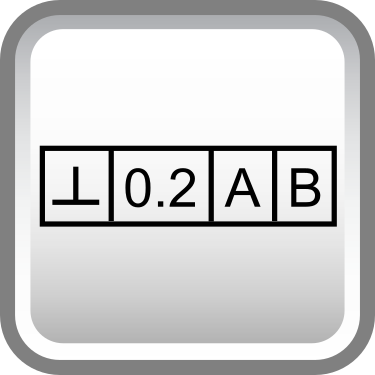
Feature Control Frame
The box that houses a GD&T callout. Every geometric tolerance lives inside one — learning to read it fluently is non-negotiable for GD&T.

Symmetry
Controls whether the median points of a feature are symmetric about a datum plane. Like concentricity, it's rarely the right call — position is usually preferred.

Angularity
Controls a surface or axis at an exact angle relative to a datum. Requires a basic angle dimension — it's the orientation call for everything that isn't 0° or 90°.

Least Material Condition (LMC)
Applies when a feature is at its smallest allowable size. Used when wall thickness or material retention matters more than fit.

Profile of a Line
Defines a 2D tolerance zone along any curved line or cross-section. Think of it as profile of a surface, but applied one slice at a time.
Regardless of Feature Size
The default condition — tolerance applies regardless of the actual feature size. No bonus tolerance. Stricter, but sometimes exactly what the design needs.

GD&T Rule #1: Envelope Principle
Requires that a feature of size have perfect form at MMC. It's a default rule in ASME Y14.5 — one every engineer should understand before drawing a size dimension.

Unequally Disposed Profile
Offsets the profile tolerance zone more to one side than the other. Useful when stock removal or coating thickness shifts the functional surface.

Independency
An ASME-only symbol that explicitly removes the envelope requirement from a feature. Allows form to vary independent of size — the opposite of Rule #1.

Envelope Requirement (E Symbol) – ISO Only
An ISO-only symbol that requires the actual surface to fit within a perfect form envelope at MMC. Similar in concept to ASME Rule #1, but explicitly called out.
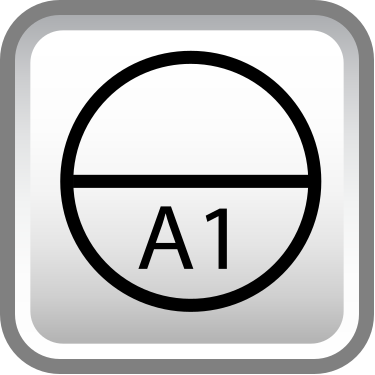
Datum Target
Defines specific points, lines, or areas that establish a datum — instead of the entire surface. Used when surfaces are too rough or irregular to reference fully.
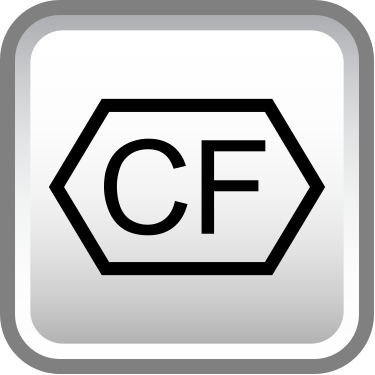
Continuous Feature
Treats interrupted surfaces as a single continuous feature under one tolerance. Eliminates the need for separate callouts on each segment.

Projected Tolerance Zone
Extends the tolerance zone beyond the feature itself — typically above a threaded hole. Controls where a fastener will sit in the mating part, not just the hole.

Free State Symbol
Indicates a measurement taken without restraining the part. Critical for flexible or non-rigid parts that deflect under normal clamping.
Restrained Condition Note
Specifies that the part must be measured while held in a defined restrained state. Used when in-service loads affect the measured geometry.

Tangent Plane
Applies a tolerance to the tangent plane of a surface rather than the full surface. Useful when mating contact matters more than overall surface form.

Counterbore
Specifies a flat-bottomed enlarged hole above a through hole. Controls the diameter and depth needed to seat a bolt head or fastener flush.

Spotface
A very shallow counterbore used to create a clean, flat bearing surface. Common on cast or rough parts where a fastener needs a flat seat.

Countersink
Specifies the angle and diameter of a countersunk hole. Commonly paired with a depth or diameter dimension for fastener seating.

Diameter
Indicates the dimension is a diameter, not a radius. One of the most common symbols on any drawing with cylindrical features.

Square
Indicates a square cross-section with a single dimension. Saves space on drawings when both sides are equal — one callout covers both.

Radius
Defines a radius tolerance zone where the curve must fall between two arc boundaries. Allows slight waviness — use controlled radius when that matters.

Controlled Radius
A radius with a smooth, fair curve — no flats or reversals allowed within the tolerance zone. Tighter than a standard radius callout.

Spherical Radius
Applied to a spherical surface to control its radius. Works like a standard radius callout, but in all directions around the sphere.
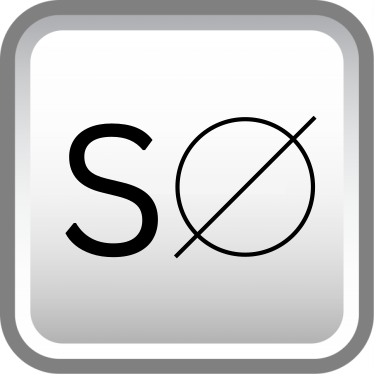
Spherical Diameter
Controls the diameter of a full spherical feature. The prefix S∅ distinguishes it from a standard diameter callout on a cylinder.

Depth Symbol
Indicates the depth of a feature like a hole, slot, or counterbore. Replaces the word 'deep' on drawings — clean, compact, unambiguous.
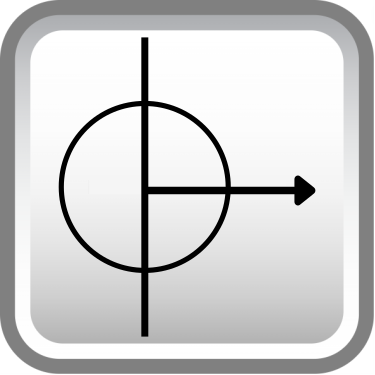
Dimension Origin
Shows that a dimension originates from a specific surface, not from the opposite end. Controls interpretation of tolerance stack in one direction.
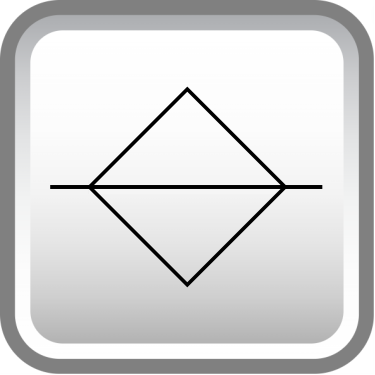
Parting Line
Identifies the dividing line on a part where mold halves or die sections meet. More of a manufacturing note than a geometric control.
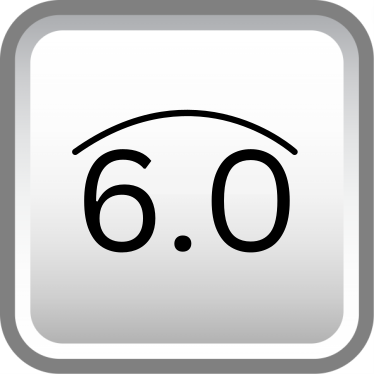
Arc Length
Indicates a dimension is measured along an arc, not as a straight chord. Used when the curved length — not the straight-line distance — is what matters.
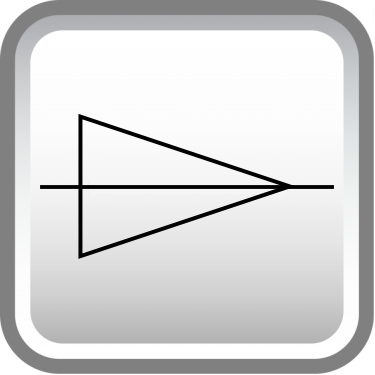
Conical Taper
Defines the ratio of diameter change to length along a conical surface. Gives a clear, single-value callout instead of two separate angle dimensions.
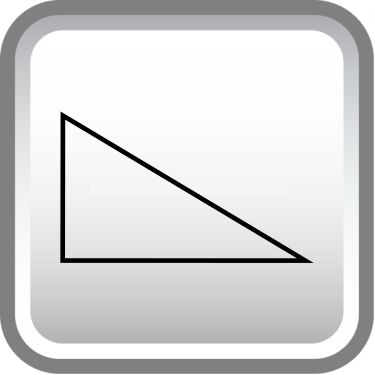
Slope
Defines the rate of change of a flat tapered surface. Used on flat features the same way conical taper is used on round ones.

Multiple Identical Features
Indicates a tolerance or dimension applies to multiple identical features. Simplifies drawings by replacing repetitive callouts with a single note.
